EARLY ACCESS · FREE DURING BETA
Turn any fillable PDF into a simple Q&A.
Built for insurance professionals… and more.
You get a copy. Your client gets a copy.
Upload the PDF you already use. GetSecureForms turns its fields into plain questions, your signor answers them on any device and signs — and both of you walk away with the same stamped copy. No printing, no scanning, no emailing sensitive forms around.
Request free beta accessNo charge during beta. Access by administrator approval.
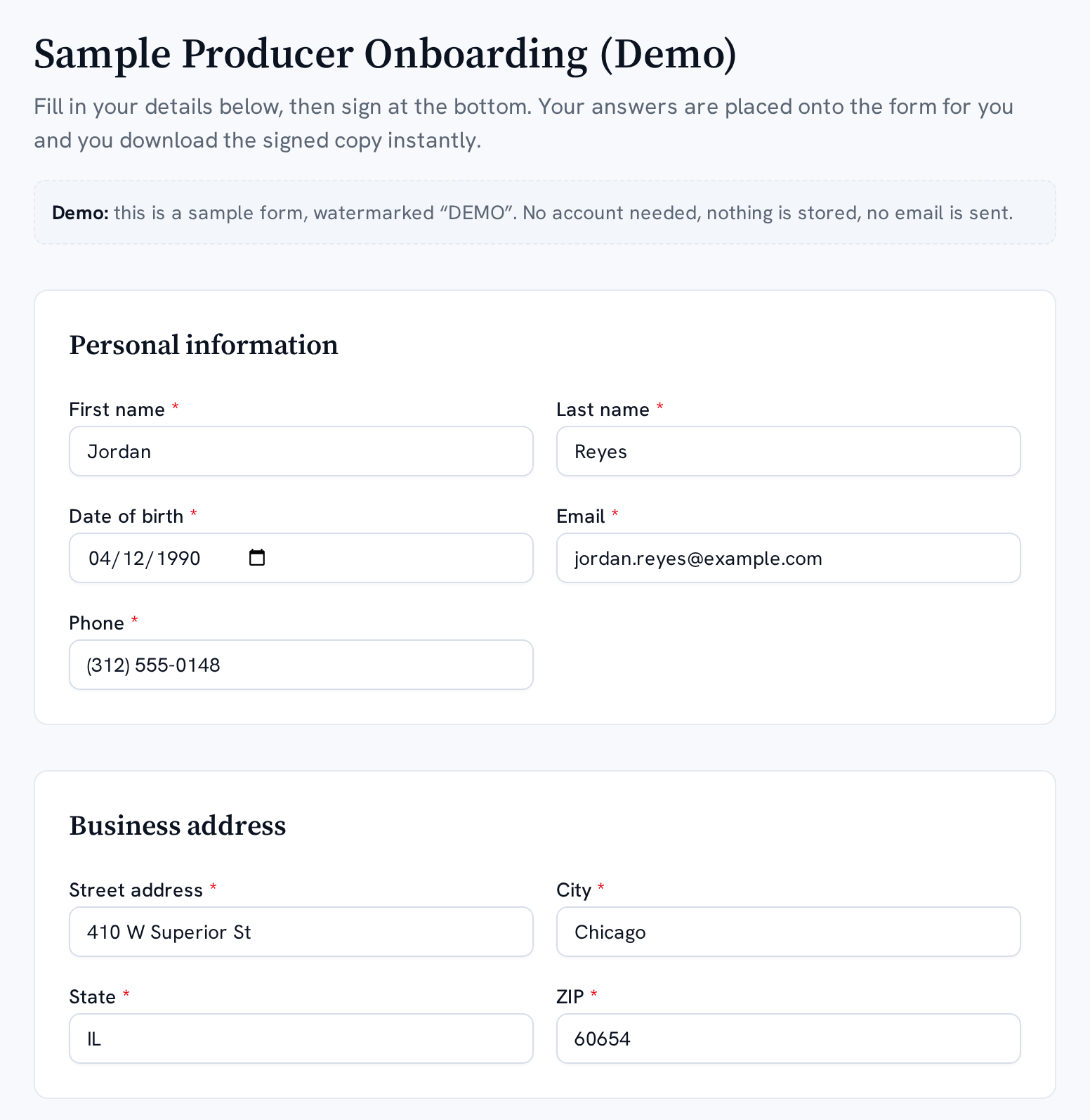
SEE IT IN 30 SECONDS
Watch the demo.
Broker contracting, carrier packets, reminders, and Texas license retrieval — in 30 seconds.
No more printing. No more scanning.
No more emailing forms around.
Nothing to print, clip to a clipboard, or fill in by hand at a desk.
The signature is captured on screen and stamped straight into the PDF.
No Social Security number or bank detail sitting in an inbox, a forward, or a reply-all.
THE Q&A CONVERTER
Take any fillable PDF. GetSecureForms turns it into plain questions.
Upload the form you already use and AI reads its fields, then writes clear questions in their place. You review every one — mark it required, optional, ignored, or office-only — before anything goes out. Your signor just answers, one at a time, and each answer lands back in the exact PDF box it belongs in.
What your PDF fields look like today
- undefined_12
- BG-Other names used Alias Maiden Nickname
- EMAIL ADDRESSRow1_2
- Business Zip
- undefined_4, undefined_7, undefined_19 …
Real field names from a real fillable kit. Nobody filling this in is sure what the form is actually asking.
What your signor actually sees
- First name→ First Name
- Date of birth→ date, required
- Email→ Email, EMAIL ADDRESSRow1_2, BG-Email …
- ZIP→ Business Zip
- Which state are you appointed in?→ one of 50 checkboxes
One question, one answer. The PDF is filled in the background — your signor never sees a field name.
Already have a form nobody can decipher? That's the one worth uploading first.
EVERYONE LEAVES WITH THE SAME PDF
You get a copy. Your client gets a copy.
The moment a signature goes on, the stamped PDF is filed in your library and a private copy link goes to the person who signed. Nobody has to ask for the "final" version, and nobody has to be CC'd to keep a record.
- Your copy. The signed PDF, with the signature, date, time and IP address stamped on every page, plus anything the signor attached — kept in your account.
- Their copy. An email with a link to the same signed PDF, password-protected and open only for as many days as you decide.
- One document. The same stamped file on both sides — not a photo, a scan, or someone retyping it into a fresh copy.
From PDF to signed copy.
One simple, connected workflow.
Upload & turn it into questions
Add your fillable PDF. Review the AI-suggested questions, required fields, and office-only sections.
Share a private link
Choose your form and signor. Add an optional password and set how long the signed copy stays available.
Sign & both keep a copy
Signors answer and sign without an account. Signed PDFs and supporting documents stay with the request.
A CLOSER LOOK
A home for every form.
Your form library, signing requests, and completed copies—organized around the way your business works.
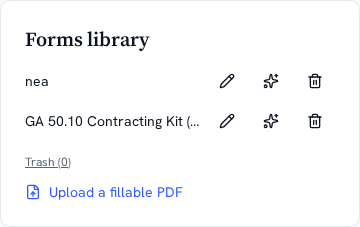
Your forms, organized
A reusable library with renaming, question setup, and a 30-day trash.
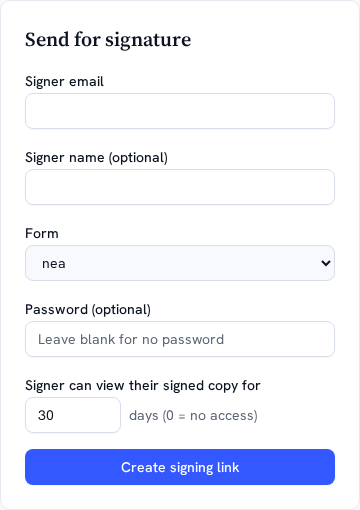
A link for each signor
Choose a form, an optional password, and a signed-copy access window.
BUILT FOR THE DETAILS
Everything the paperwork needs.
PDF to Q&A setup
AI turns cryptic field names into clear questions. Review and edit before sending.
Private signing links
Unique links for every signor, with optional password protection.
Draw or type a signature
Cursive options, e-signature consent, and a date, time, and IP certificate.
A copy for both sides
You keep the signed PDF; the signor gets a private link to their own copy.
Your own form library
Upload, rename, edit, and organize the forms your business uses.
Supporting documents
Keep uploaded documents alongside the completed form.
Time-limited copy access
Choose how long a signor can view their completed copy.
Office-only approval
Separate signor questions from sections your office completes.
Safe. Secure. Nothing sent as an attachment.
Blank templates and signed documents live in private storage, visible only to the account that owns them. Signors reach them through unique links and optional passwords, and file addresses expire in 60 seconds.
LOOKING AHEAD
Enterprise HIPAA support is planned.
Not currently HIPAA-compliant. Enterprise HIPAA support is planned, but is not available and has no committed release date.
Do not upload or collect Protected Health Information (PHI). This Lovable setup does not have signed provider BAAs or audit-grade access controls for HIPAA.
HAVE A QUESTION?
Ask us before you sign up.
Wondering if your carrier forms will work, how signing links are secured, or what beta access includes? Send a question and we'll reply by email — with a private link to keep the conversation going.
JOIN THE BETA
Your next form starts here.
Request early access to GetSecureForms. We review each request before opening an account.
- No charge during beta
- Access approved by our administrator
- No signor accounts required
Built for insurance professionals…
and more.